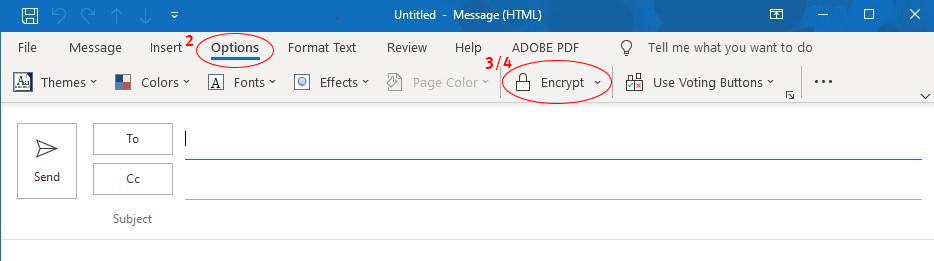
All Queensland Health staff members have an obligation under the Hospital and Health Boards Act 2011 and Information Privacy Act 2009 to protect personal information including, but not limited to, patient information, collected, managed, stored, disseminated, and disposed of by Queensland Health.
Information classified as ‘sensitive' (including clinical and confidential information), should only be sent when there is a legitimate and approved need to do so and in compliance with the Hospital and Health Board Act 2011 and Information Privacy Act 2009.
Emails must be encrypted. Encryption means that information is converted to a code to prevent unauthorised access and so the information cannot be altered. This information can be ‘unencrypted’ by the authorised recipient.
Before providing consent to use email as a method of communication, please be aware that email has risks which include, but are not limited to, the following:
You will receive email communications from SCHHS in an encrypted format.
You will receive an email message with options and instructions for how to read the encrypted message. The encrypted message may be checked via a temporary passcode or by signing in into your Google account.
| Facility | Email address |
|---|---|
| Sunshine Coast University Hospital | schhs_scuh_roi@health.qld.gov.au |
| Nambour General Hospital | schhs_ngh_roi@health.qld.gov.au |
| Gympie Hospital | schhs_gym_roi@Health.qld.gov.au |
| Caloundra Health Service | schhs_cal_roi@Health.qld.gov.au |
| Maleny Soldiers Memorial Hospital | schhs_mal_roi@health.qld.gov.au |
All attachments are encrypted, however the subject line is not. The subject line should include the general purpose of the message. For example, ‘processed ROI’ ,‘advice’ or ‘appointment’. No confidential information should be contained on the subject line, the content of the subject line is not encrypted.